

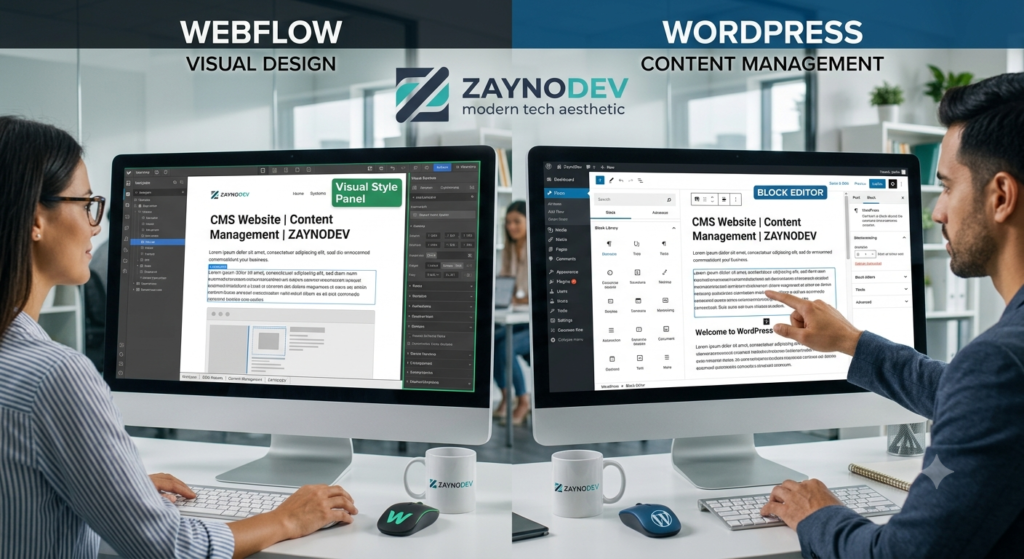
In today’s digital world, your website is more than just an online presence—it’s one of your most valuable business assets. Whether you’re running a startup, a growing company, or an established brand, having a website that is easy to manage, scalable, and future-ready is essential.
This is where a Content Management System (CMS) comes in.
Platforms like Webflow and WordPress allow businesses to manage their websites without relying on a developer for every small update. Instead of paying someone every time you want to change a piece of text or publish a blog, you can do it yourself in just a few clicks.
What Is a CMS Website?
A CMS (Content Management System) is a platform that lets you create, edit, and manage your website content through an easy-to-use dashboard.
Unlike traditional custom-coded websites, a CMS gives you full control over your content without requiring programming knowledge.
Whether you need to:
- Publish blog posts
- Update service pages
- Add new team members
- Upload case studies
- Change images
- Edit contact information
You can do it quickly and easily.
Why Businesses Choose CMS Websites
1. Update Your Website Anytime
Business information changes frequently.
You might launch a new service, hire new employees, update pricing, or publish company news.
With a CMS website, these updates take minutes—not days.
You stay in control of your website without waiting for a developer.
2. Save Money Over Time
Many businesses spend hundreds or even thousands of dollars every year paying developers for small website changes.
A CMS dramatically reduces these ongoing maintenance costs.
Your team can handle everyday updates internally while only hiring developers for larger improvements.
3. Better for SEO
Search engines love websites that are regularly updated.
A CMS makes it easy to:
- Publish blogs
- Update landing pages
- Add new content
- Improve page titles and meta descriptions
- Organize content with categories and tags
Fresh content helps improve your visibility in search results and attracts more potential customers.
4. Easily Publish Blogs
Content marketing is one of the best ways to generate organic traffic.
With a CMS, writing and publishing blog articles becomes simple.
You can:
- Share industry knowledge
- Answer customer questions
- Improve search rankings
- Build trust with potential clients
A regularly updated blog keeps your website active and valuable.
5. Scales as Your Business Grows
Your website should grow with your business.
CMS platforms make it easy to add:
- New pages
- Service categories
- Team profiles
- Portfolios
- Testimonials
- FAQs
- Resources
- Landing pages
There’s no need to rebuild your entire website every time your business expands.
6. Easier Team Collaboration
Multiple people can manage the website together.
Marketing teams, content writers, editors, and administrators can each have their own access and permissions.
This makes publishing faster while maintaining security.
7. Modern Design with Powerful Functionality
Today’s CMS platforms are far more than simple website builders.
You can create:
- High-converting landing pages
- Interactive animations
- Responsive layouts
- Dynamic CMS collections
- Portfolio websites
- Business websites
- E-commerce stores
- Membership websites
All while maintaining excellent performance.
Why Webflow?
Webflow combines professional design freedom with a powerful visual CMS.
It is ideal for businesses that want:
- Premium modern design
- Fast-loading pages
- Clean code
- Strong SEO capabilities
- Easy content management
- Secure hosting
- No plugin dependency for most features
Webflow is an excellent choice for businesses that value design, performance, and flexibility.
Why WordPress?
WordPress powers millions of websites worldwide because of its flexibility.
It’s perfect for businesses that need:
- Extensive plugin support
- Large content websites
- Blogs and magazines
- WooCommerce online stores
- Custom functionality
- Third-party integrations
With the right setup, WordPress remains one of the most powerful CMS platforms available.
Which CMS Should You Choose?
The answer depends on your business goals.
Choose Webflow if you want:
- Modern custom design
- Outstanding visual experience
- Easy editing
- Excellent speed
- Lower maintenance
Choose WordPress if you need:
- Complex functionality
- Large-scale content management
- Advanced integrations
- E-commerce flexibility
- A highly customizable ecosystem
Both platforms are excellent choices when built correctly.
Invest in a Website That Grows With Your Business
A website should not become outdated after a year.
It should evolve alongside your business, helping you attract customers, publish valuable content, and strengthen your online presence.
Choosing a CMS website means investing in flexibility, efficiency, and long-term growth.
At ZaynoDev, we build modern CMS websites using Webflow and WordPress that are designed to be fast, scalable, SEO-friendly, and easy for your team to manage.
Whether you’re launching a new business or upgrading an existing website, we’ll help you build a website that works for your business today—and continues to support your growth in the future.
One Response
Hi, this is a comment.
To get started with moderating, editing, and deleting comments, please visit the Comments screen in the dashboard.
Commenter avatars come from Gravatar.